Job applications
Many application portals accept no more than 2 or 5 MB. You enter the limit and get a PDF that fits, together with a rating of how readable it still is.
Productivity
iPhone & iPad
Application portals, authorities and mail servers limit the file size. In PDF Mail Fit you set that limit, for example 2 MB, and get a PDF that stays below it. If that is not possible, the app tells you so instead of producing an unreadable document.
Free · one-time purchase “Unlimited” €3.99 · no subscription
Requires iOS 18.0
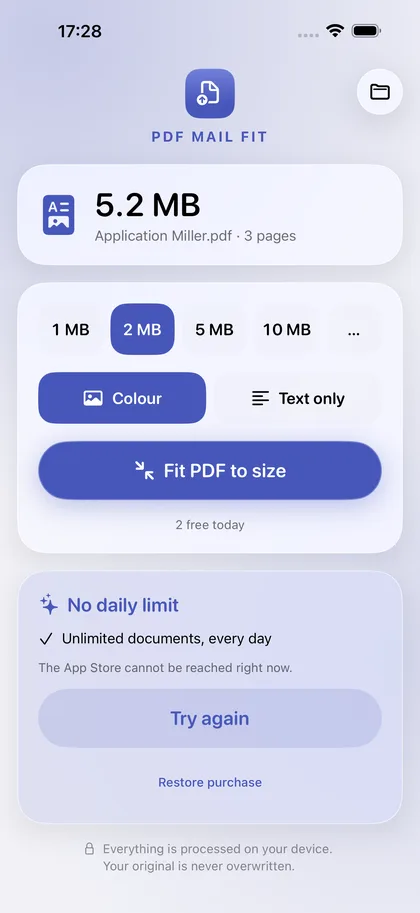
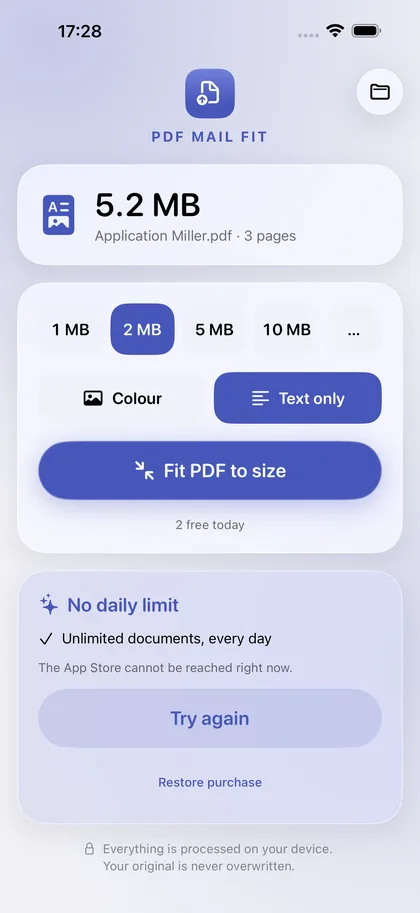
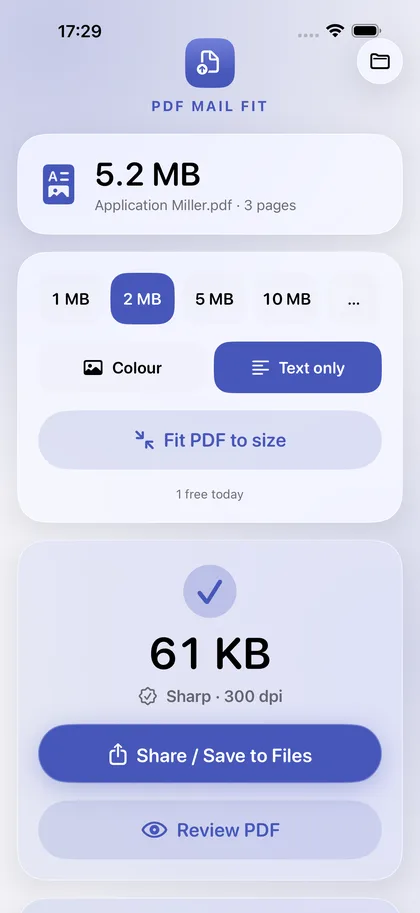
Many application portals accept no more than 2 or 5 MB. You enter the limit and get a PDF that fits, together with a rating of how readable it still is.
Filled-in forms, comments and stamps remain visible. For scanned letters, the “Text only” mode gives sharp black-and-white pages with a very small file size.
Hand over the PDF straight from Mail or Files to the app. The file name is kept, the original is not changed, and nothing is uploaded.
Important: to reach the target size, the pages are converted to images. Text can then no longer be selected or searched. The app asks before converting.
€0
Two documents a day with all features.
The free version can be used without a time limit.
€3.99
No daily limit.
Pay once, use it for good. No subscription.
The app collects no data. Everything you open or create stays on your device until you share it yourself.
Files: The PDF you open is converted on the device. The result exists only in the app's temporary folder until you share or save it.
To reach the target size, the pages are converted to images. The app tells you before it starts. Keep your original for anything that needs selectable text.
Switch on “Text only” for letters, forms and scans. Pure black and white stays sharp at a much smaller file size.
Tap “Restore purchase” on the purchase card in the app. A one-time purchase is tied to your Apple account and does not have to be paid for again.