For drummers
The metronome takes the tempo and time signature from the setlist and changes with every song. Subdivisions up to sextuplets, swing and odd metres such as 7/8 are included.

Music
iPhone & iPad
Set Clock combines your setlist with a clock and a metronome. For every song you enter its length, tempo and time signature. At the gig, the stage view shows the time left in the song, and the metronome switches to the new tempo with every song change.
Free · one-time purchase “All Your Sets” €5.99 · no subscription
Requires iOS 18.0
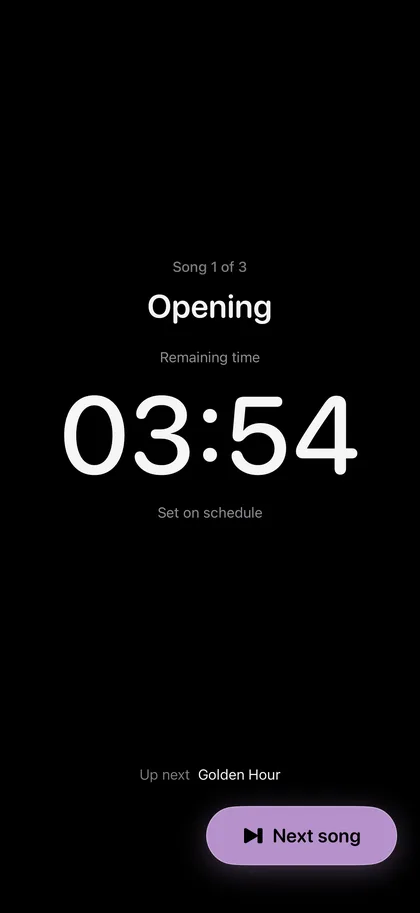
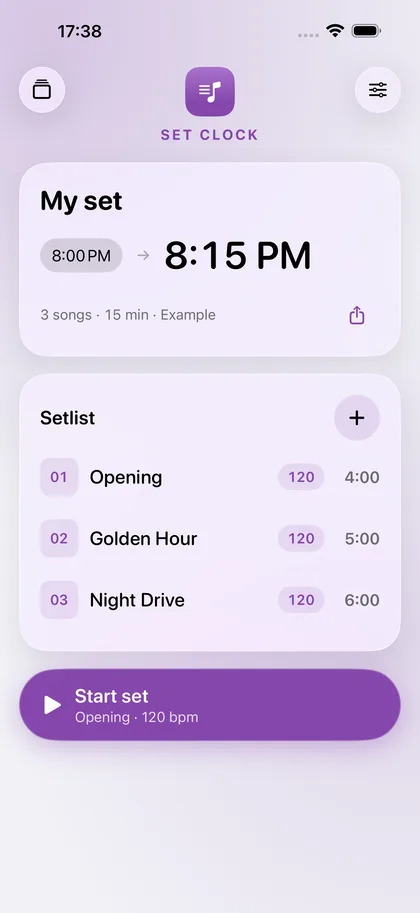
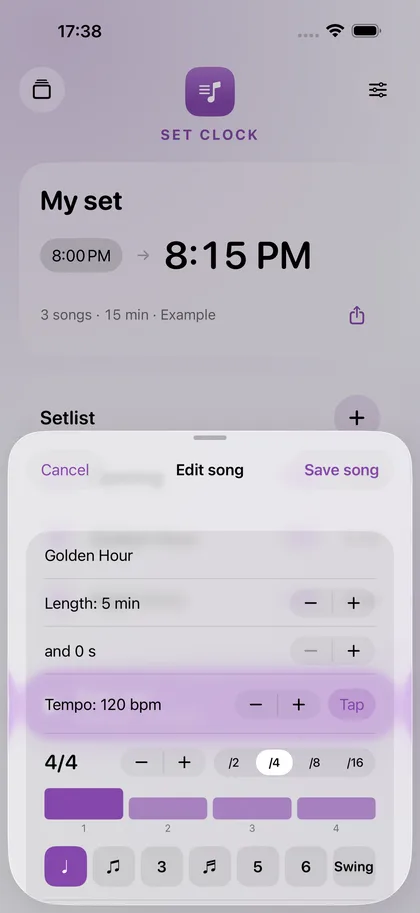
The metronome takes the tempo and time signature from the setlist and changes with every song. Subdivisions up to sextuplets, swing and odd metres such as 7/8 are included.
If you have 45 minutes, the stage view shows during the gig whether you are ahead of or behind schedule. An announcement between songs can be paused and does not count as a delay.
Enter the setlist once with lengths and tempos, then share it as text in the band chat. The click also plays alongside backing tracks from other apps.
€0
One set with all features.
The free version can be used without a time limit.
€5.99
As many sets as you like, and duplicating sets.
Pay once, use it for good. No subscription.
The app collects no data. Everything you open or create stays on your device until you share it yourself.
The app needs no permissions.
Yes. The click plays alongside the audio of other apps.
Open the app again. The set continues in the right song and with the correct times.
Tap “Restore purchase” on the purchase card in the app. A one-time purchase is tied to your Apple account and does not have to be paid for again.