Learning by ear
Slow a solo to half speed without it dropping in pitch, loop the bar you are working out, and move the loop on by its own length to the next phrase.
Music
iPhone & iPad
Learning a solo by ear or practising a hard passage: play it slower, without the pitch dropping, over and over, and a little faster each time.
Free · one-time purchase “Practise like a pro” €9.99 · no subscription
Requires iOS 18.0
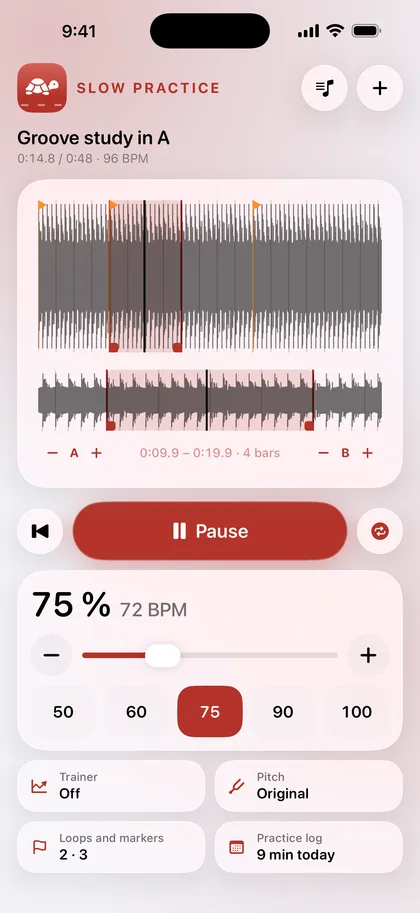
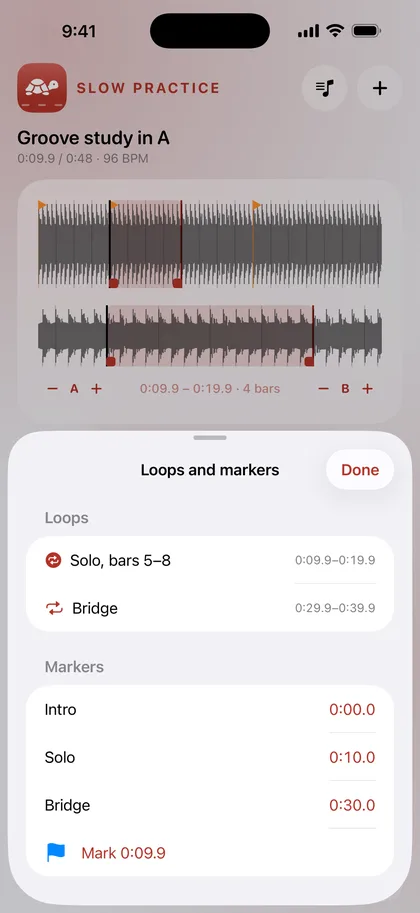
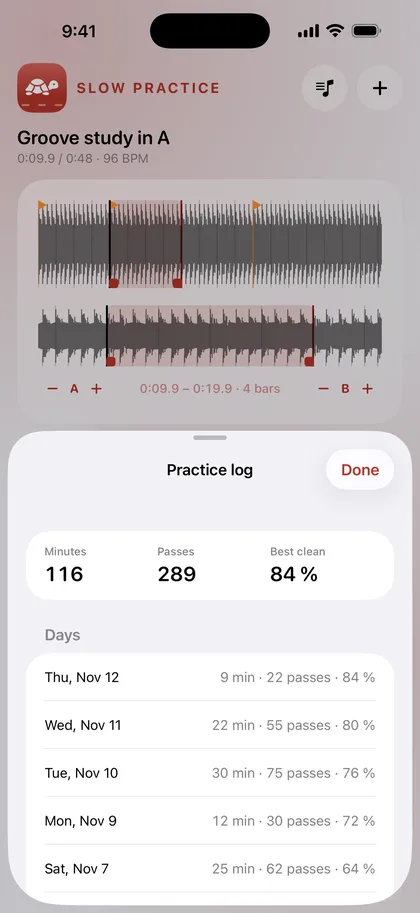
Slow a solo to half speed without it dropping in pitch, loop the bar you are working out, and move the loop on by its own length to the next phrase.
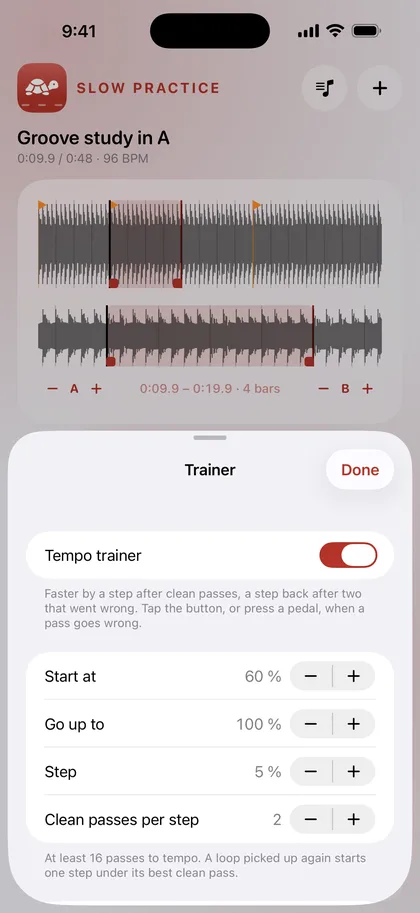
The trainer starts the loop slower and takes it a step faster after clean passes, a step back after two that went wrong. It remembers your best clean tempo for every loop.
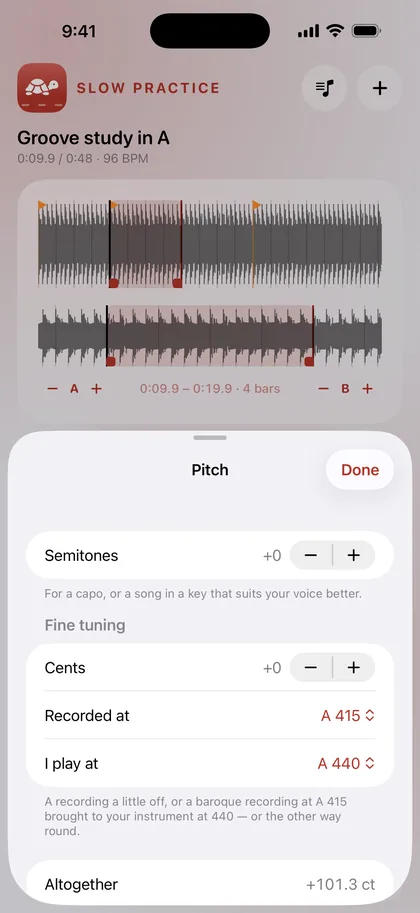
Play along with a recording at A 415 on an instrument at 440, or the other way round, in one step.
€0
€9.99
Songs streamed from Apple Music are protected, and no app can open them; files you own work.
Everything happens on your device. No account, no ads, no subscription.
The app collects no data. Everything you open or create stays on your device until you share it yourself.
Files: Pieces you open are copied into the app's own folder on your device. Nothing is uploaded.
Songs streamed from Apple Music are protected, and Apple lets no app read them. Files you own – MP3, M4A, WAV, AIFF or the sound of a video – open from Files, Mail or the share sheet.
While you change the speed, the app slows the music at once. When the speed has rested for a moment, it stretches the loop again in better quality, with drums and chords kept apart, and switches over at the start of the next pass.
You tell it: tap “That pass went wrong”, or press a page-turner pedal. Two such passes in a row take it a step slower.
Tap “Restore purchase” on the purchase card in the app. A one-time purchase is tied to your Apple account and does not have to be paid for again.